Novel writing software that remembers your story.
StoryVue is novel writing software built around one promise: record what changes in a scene once, and every later scene knows. Plan on connected canvases, write the manuscript beside the plan, check the draft with thirteen tools that never use AI, and carry the cast into Book 2. Planning is free forever, with no card.
Create your account
Every writer tool, each with its own page.
Planning is free with no time limit, and every account includes one free trial of the top plan. Pick a tool to see what it does and how to use it.
Story canvases
Story, plot and scene canvases where the cast, places and links live, and every change is recorded once. Free, forever.
Relationship arcs
Allies, then rivals, then something else: each phase pinned to the scene where it turns. Free.
Story timeline
Scenes in the order events happen, with in-world dates, ages and point of view. Free.
Story bible
Who knows what, how old everyone is, and what is still open, for one book or a series. Free.
Manuscript editor
Draft chapters beside the story graph, with @-mentions to any character or place. Writer, $5/mo.
Thirteen analysis tools
Checks that read your draft the way a structural editor would. None of them use AI. Author, $10/mo.
World Builder
Interactive maps, family trees, custom calendars, and the World Bible export. World Builder, $15/mo.
Import a draft
Bring a Word, Markdown or plain-text novel, a World Anvil world or a D&D Beyond sheet. Free.
Plan the arc, not just the cast.
This demo is the real thing, live. Each phase is pinned to the scene where it begins, and each scene shows only the phase true at that moment. A betrayal in chapter nine changes the label from chapter nine forward, and nowhere else.
More on relationship arcs →
Never lose track of who knew what, and when.
Record a change once, in the scene where it happens. A broken promise, a wound, a sword that changed hands. Open any later scene's ledger and every earlier change is already there, marked with the scene it came from.
More on the story bible →
Dates, ages and point of view, on one timeline.
Drag scenes into the order events happen and give them in-world dates. Every scene then knows how old everyone is, how many days have passed, and whose point of view it is.
More on the story timeline →
Write beside the plan.
Draft chapters and scenes in the manuscript editor. Type @ to reference any character or place, and click a name to open its entry beside the draft, so you never lose your place. Today's word count sits in the status bar, and every scene keeps its own version history.
More on the manuscript editor →
Bring the draft you already have.
Most novels start somewhere else. StoryVue takes them in as they are and connects them to the plan.
Import a draft
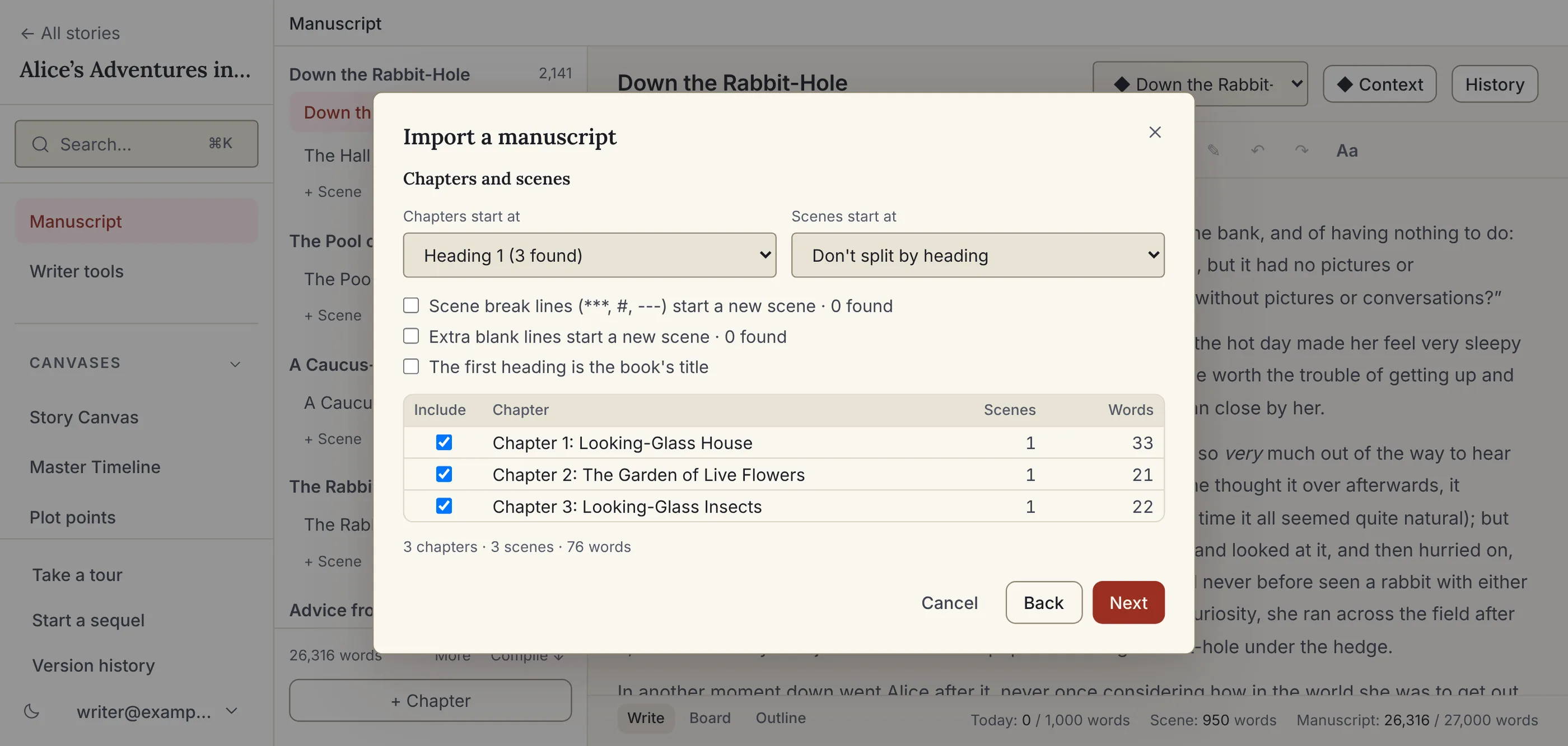
A Word, Markdown or plain-text draft arrives split into chapters and scenes, with your characters' names linked. Free to import; editing the prose is part of Writer.
Writing goals
Today's words as you type, your streak on the Dashboard, and on Author a book goal with a deadline that works out the words a day.
Sequels
Start Book 2 with the characters, places and lore you tick, as they stand at the end of Book 1. On every plan.
Check it the way a structural editor would.
Thirteen reports read the draft and the plan together: dates that run backwards, threads left open, characters mentioned before the reader meets them, pacing, and overused words. None of them use AI, and none of them rewrite a word.
More on the author tools →
When the world outgrows the book.
Interactive maps with numbered pins, family trees built from the relations already on your characters, custom calendars, and the World Bible: the whole world as a print-ready PDF in a theme you design.
More on the World Builder →
Start with the sample story, or your own.
The sample story is Alice in Wonderland as a finished project: the full manuscript with point of view, dates and margin notes, wired to 85 entities, 57 connections and a 14-scene Master Timeline. It's on your Dashboard the moment you sign up and stays one click away under Start from…, beside the Ravensmoor campaign for game masters. Or start from an empty canvas. No credit card, no time limit.