The plan and the page, side by side.
StoryVue's manuscript editor keeps your story plan beside the page. Type @ to reach any character or place, and click a name to open its entry beside the draft without losing your place. Compile to Markdown or Rich Text on Writer, or to Word on Author. Underline, highlight, alignment and your own fonts survive the compile.
Create your account
Mention a character, get the character.
Type @ in the draft to reach any character or place. Hover the mention to glance at the entry, and click to open it beside the draft. The plan stays one keystroke from the page. And every scene you write already carries the state changes recorded before it.

Bring the draft, keep the pace.
Start from the novel you already have, and see how far today's writing got you.
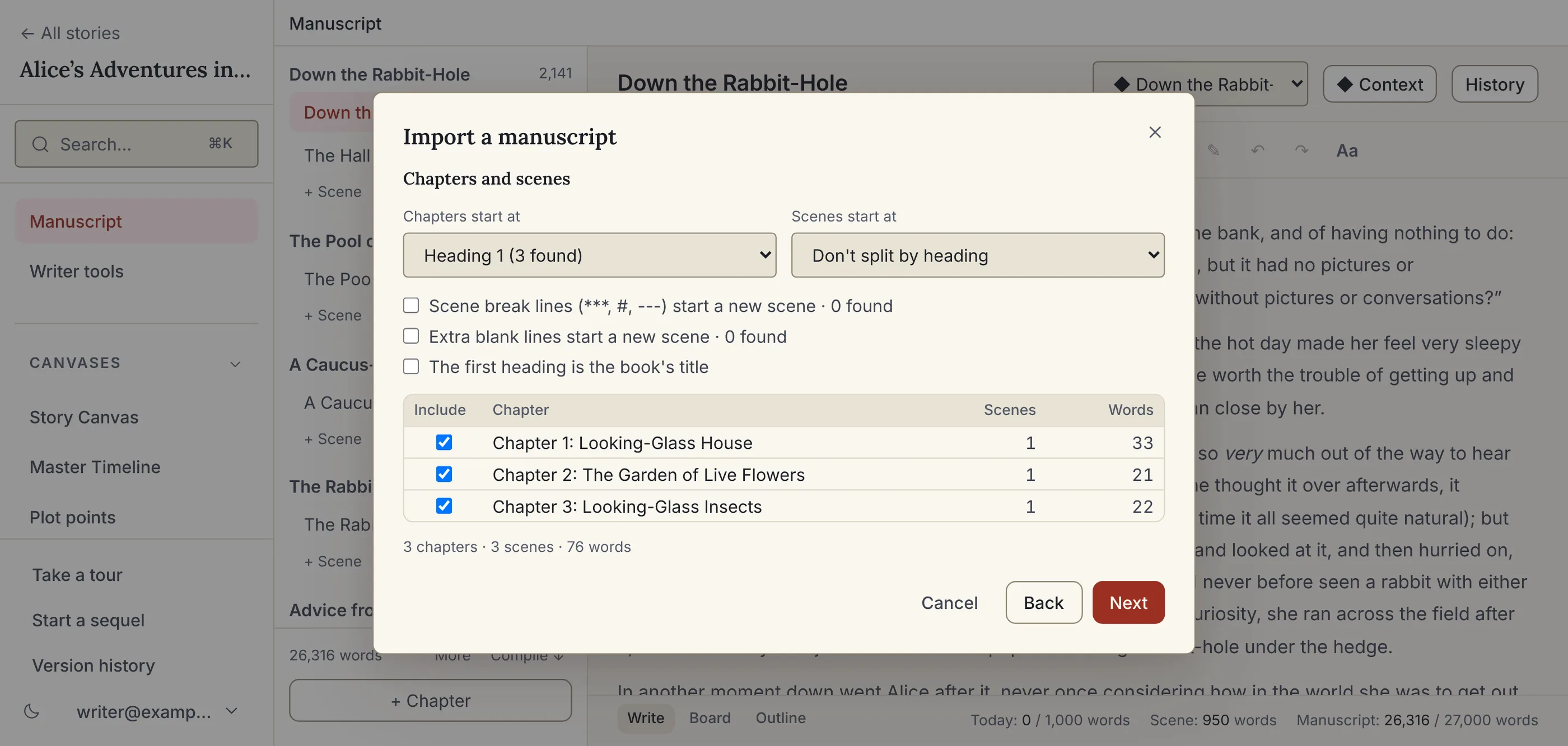
Import a draft
A Word (.docx), Markdown or plain-text draft arrives split into chapters and scenes, with your characters' names linked. Scrivener and Google Docs both export one.
Split a long paste
Paste a chapter with headings or scene breaks and split it into scenes in one click, with the names linked.
Writing goals
Today's words in the status bar as you type. On Author, a book goal with a deadline works out the words a day.
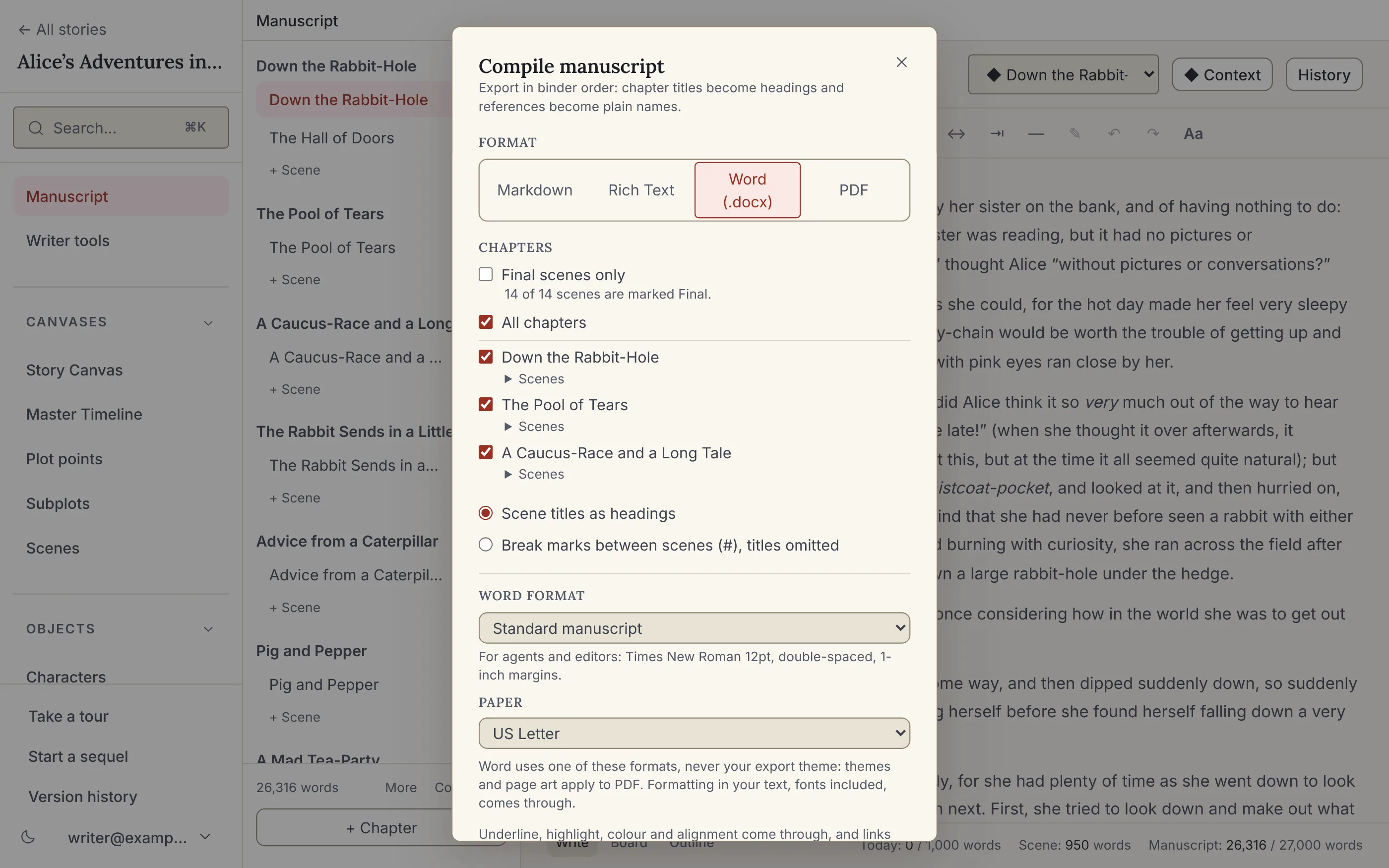
Compile when you're ready.
The manuscript lives with the plan until you want it out. A downgraded account keeps read-only access to every chapter: view, compile and delete, no editing. Your words are never held hostage. Every draft is kept, too: StoryVue saves a version every hour you write and when you close it, compares any scene word by word with an earlier one, and puts back one scene or the whole story. On every plan, including Free.
Markdown & Rich Text
Compile whenever you want, on Writer. Rich Text keeps your formatting.
Word (.docx)
On Author: standard manuscript format or a book-style draft, on Letter or A4, with selective chapter compile and your fonts embedded.
Styled print & PDF
Author: seven built-in themes, a title page, and your fonts embedded. Design your own on World Builder.
The rest of StoryVue, when you want it.
The planning core under the editor is free with no time limit, and every account includes one free trial of the top plan.
Story canvases
Story, plot and scene canvases where the cast, places and links live, and every change is recorded once. Free, forever.
Thirteen analysis tools
Checks that read your draft the way a structural editor would. None of them use AI. Author, $10/mo.
World Builder
Interactive maps, family trees, custom calendars, and the World Bible export. World Builder, $15/mo.
Game Master suite
Run the same world at the table: sessions, encounters, initiative, and dice. World Builder, $15/mo.
Start with the sample story, or your own.
The sample story is Alice in Wonderland as a finished project: the full manuscript with point of view, dates and margin notes, wired to 85 entities, 57 connections and a 14-scene Master Timeline. It's on your Dashboard the moment you sign up and stays one click away under Start from…, beside the Ravensmoor campaign for game masters. Or start from an empty canvas. No credit card, no time limit.